

/

article

/

What is Microsoft Dynamics 365?

Published:
19.5.2020

Dynamics 365 is a robust modular ERP and CRM solution from Microsoft. Its apps and features form a cohesive ecosystem with tools to automate and integrate key company activities—from receiving orders and planning operations to inventory, finance, and HR.

Microsoft has launched a brand-new system, Microsoft Dynamics 365. Its biggest advantage is the combination of ERP and CRM. Do you handle these extensive agendas separately? You no longer need to. In one place, on the same data, you can run all your business processes and commercial activities.

Dynamics 365 also connects to Microsoft 365 and the Microsoft Azure platform, which enables integration of third-party apps. Whatever your industry, Dynamics 365 is ready to cover your business requirements end to end.

DECIDE BETTER

Use data-driven insights and recommendations to improve business results.

BUILD CUSTOMER RELATIONSHIPS

A unified customer view helps you develop more meaningful collaboration.

OPERATE MORE EFFICIENTLY

Automate and optimize daily tasks with AI-driven workflows.

Learn more about Dynamics 365 and its modules

So what exactly is Microsoft Dynamics 365?

https://www.youtube.com/watch?v=hiaL1f4SQCQ

  1. Start only with what you’ll use – The app is designed so agendas can be added later easily and independently. Starting a business? Pick only the roles and agendas you truly need without paying for unused features.
  2. Productivity where you need it – Dynamics 365 and Office 365 integrate structured workflows amid unstructured daily work. Attach a sales quote from your ERP in Outlook without leaving the app and without hunting for the recipient. In Microsoft Dynamics 365 that’s easy.
  3. Artificial intelligence – With Dynamics 365, Microsoft is the only vendor combining company data, analytics, and IoT devices to actively support employees’ work and decisions. A typical example is cross-sell recommendations that assist a sales rep when creating a quote.
  4. Ready to grow – The system lets customers quickly create and adjust business processes as needed, without IT intervention. You can change your business model using the data model and flexible platform the agendas run on.

Dynamics 365 editions

Dynamics 365 is available in two editions: Dynamics 365 Business and Dynamics 365 Enterprise.

  1. Business edition of Dynamics 365 fits small and mid-size companies of 10–250 employees, mainly trading companies, and includes full accounting. It connects Microsoft Dynamics CRM and Dynamics NAV. By combining Dynamics CRM, Dynamics 365, and Office 365, customers get a comprehensive tool for any industry.
  2. Enterprise edition of Dynamics 365 is for larger companies with 250+ employees. Beyond Business features it includes modules for service companies, whether customer service, field service, or project management. Company management is handled by the latest cloud ERP Dynamics 365.

Integration with Microsoft products

Both editions leverage a wide range of Microsoft products. Microsoft 365 is integrated, so users speed up their work without switching apps or copy-pasting.

Key benefits

  • Use of a common data model shared with Office 365, simplifying data management and integration across apps and business processes.
  • User-configurable analytics with Power Apps, Power BI, and Microsoft Flow.
  • Connectors to integrate Microsoft products and third-party ISV add-ons. Add-ons are easy to integrate via AppSource.

Licensing – user types

The biggest advantage of Dynamics 365 is the union of Microsoft CRM with ERP Dynamics 365 on one data foundation.

The system lets customers pick exactly the user type they need for their business, preventing unnecessary purchase of expensive all-rights licenses.

User types: Team member, Apps, and Plans.

  • Team member – for basic agenda or read access. Typical examples are a warehouse worker, buyer, or salesperson issuing documents.
  • Apps – Full functionality in purchased areas such as Sales, Marketing, Service, Projects, ERP (365).
  • Plans – For users who hold multiple roles and need to work across areas.

Licensing – Dynamics 365 Enterprise edition

Because Blue Dynamic focuses on Dynamics 365 implementations, here are the plan types Microsoft offers in Enterprise edition.

  • Plan 1 – Includes CRM agendas such as Sales, Marketing, Service, and Projects. Can be purchased as a bundle.
  • Plan 2 – Includes Plan 1 and ERP (365).

For each Apps-mode user you can choose a specific area or the full Plan. Prices have been published for the US market; the European price list will follow.

In conclusion

Microsoft Dynamics 365 enters the market as a comprehensive product with no ERP competitor. By connecting CRM and ERP, it delivers a unique tool for company management with strong competitive advantage. If you want to learn more about Dynamics 365, feel free to contact us.

Learn more about Dynamics 365 ERP and its modules

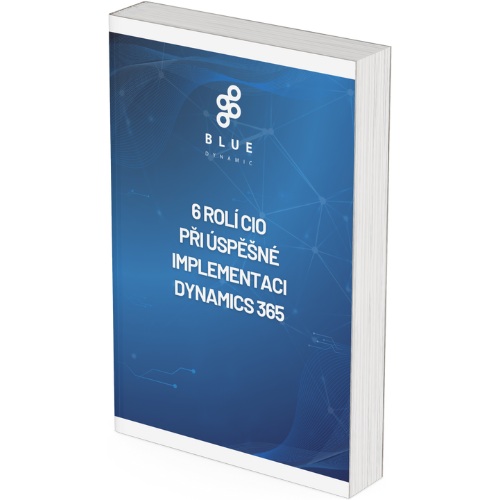
Free e-book: 6 roles of the CIO in a successful Dynamics 365 implementation

An implementation project is complex and demanding and requires the whole team. There is no templated plan to do it “easily and quickly.” The CIO’s role is key and fairly complex—also because it spans several roles at once. Download our free e-book to learn what roles the CIO plays in a Dynamics 365 implementation.
What is Microsoft Dynamics 365?

ready to Talk?

/ Let’s talk – whether you already know what you need or just want to explore possibilities.

Office NL

info@bluedynamic.nl+31 3  0899 9170

Lange Viestraat 2 B, 3511 BK Utrecht
Netherlands

Blue Dynamic, B.V.
KVK: 30137532
VAT: NL805557532B01

Office CZ

info@bluedynamic.cz+420 720 855 288

Prazska  239, 250 66 Prague
Czech Republic

Blue Dynamic, s.r.o.
IČO: 02339234
DIČ: CZ02339234

Schedule a call