/ Technologies




/
article
/
With the arrival of the new WMS functionality in Microsoft Dynamics AX, entirely new possibilities opened for using Microsoft Dynamics AX in warehouse management. The new WMS tool is very flexible, which gives us tremendous freedom when modeling logistics processes.
High flexibility, however, requires discipline and adherence to certain rules, otherwise it can become a burden and show up only as slowly creeping warehouse processes.
To get the absolute maximum from your WMS, here are 3 tips to improve WMS performance in Microsoft Dynamics AX.
WMS typically consists of two tasks: pick something up (Pick) and carry it elsewhere (put it down – PUT).
As you know, the core entity in the new WMS is “Work”. This entity usually consists of two tasks: Pick and Put. Generating these tasks is directly controlled by the “Location Directives” and “Work templates.”
One major helper for diagnosing correct setup of logistics processes is detailed logging of how the system evaluates the rules used to create Work.

This log is called the “Work creation history log.” It records, step by step, how individual works were created.
This log is very important while creating, configuring, and tuning warehouse processes in the system.
In production, however, we recommend turning this log off.
You can enable/disable this feature easily in Warehouse management parameters.
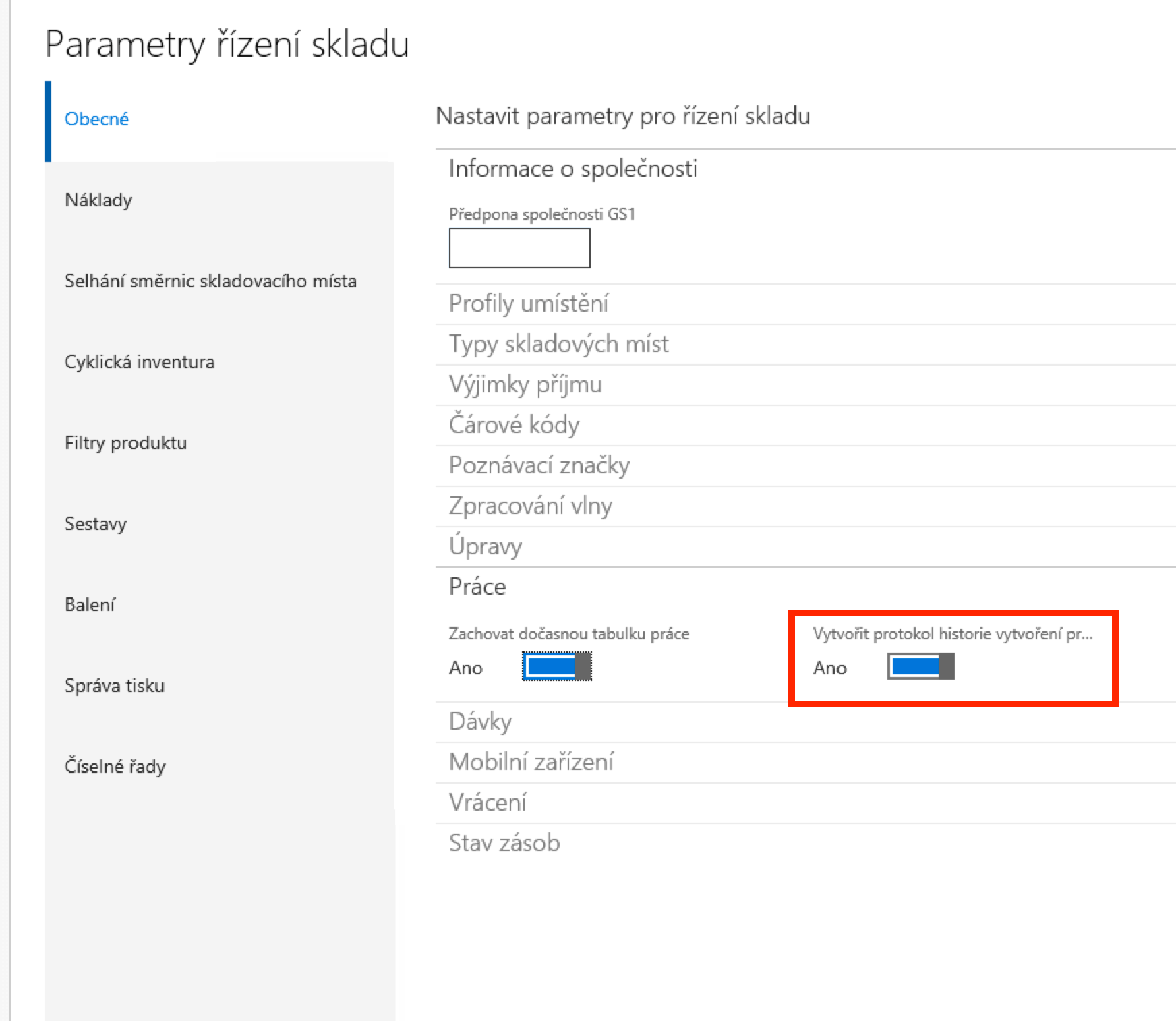
Creating the log has a strong impact on the speed of Work creation. From experience, disabling the log can speed up Work creation by up to 20%. If you need to generate thousands of Works at the same moment (every morning), this can save many minutes.
Consider carefully whether you truly need this log or can turn it off.
You likely know the new WMS in Microsoft Dynamics AX works based on predefined rules—“Location directives” and “Work templates.” The combination of these rules determines the exact shape of each warehouse process.
Rules in “Location directives” define direction—where to take goods from during picking or where to put them during put-away—while rules in “Work templates” define what the specific process will look like (one or two steps).
The screenshot shows the Location directives rules screen.
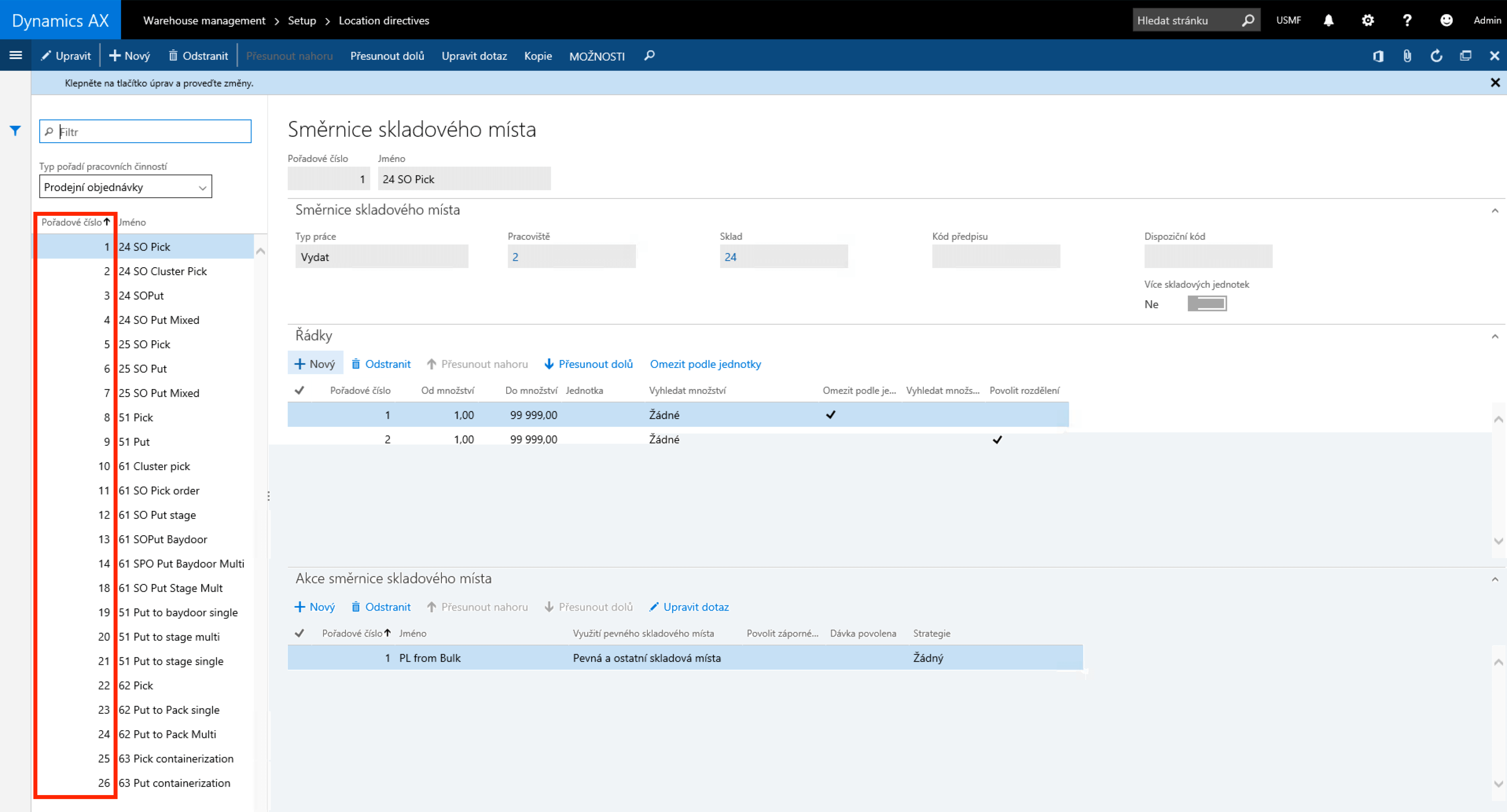
Notice the highlighted sequence numbers of individual rules. These numbers are important for evaluation logic. The system treats them as priorities and always evaluates from the lowest to the highest.
Evaluation works by trying rules one by one until it finds the “right” rule.
The same evaluation applies to “Work templates.”
In practice you can easily end up with hundreds of rules in both “Location directives” and “Work templates,” placing the needed rule at a very high sequence number.
Given that the system walks all rules from the lowest number upward, it takes time to reach the correct rule for the process being created.
Therefore, it is advisable to keep the number of Location directive and Work template rules as low as possible. Keep this in mind during initial setup (Dynamics AX implementation) and during later process changes.
Since the system traverses all rules, consider this already when designing the warehouse map in the system. There are many ways to design the warehouse more efficiently from the system’s viewpoint and thereby significantly limit the total number of rules in Location directives and Work templates.
You are not alone.
It is important to realize that WMS in Microsoft Dynamics AX is used worldwide by many customers.
All these customers face similar issues in daily operations. Functional issues and performance issues alike.
Remember that a software giant, Microsoft, stands behind the application. Microsoft listens to customers and delivers regular hotfixes and updates targeting problematic functionality.
Microsoft also regularly ships performance updates and fixes.
Make sure your application contains all current official fixes. If you keep your application up to date and install all performance-related packages, you will avoid many day-to-day problems.
The most important thing is to ensure the application contains all the latest official fixes.
You can find a list of current performance fixes, for example, on these web pages.

Jiří Hosenseidl works as a Dynamics AX Consultant at Blue Dynamic.
3 steps to improve your warehouse performance with WMS in MS Dynamics AX
/ Laten we praten — of u nu al weet wat u nodig hebt of gewoon de mogelijkheden wilt verkennen.

B/ue Dynamic NL
Lange Viestraat 2 B, 3511 BK Utrecht
Netherlands
Blue Dynamic, B.V.
KVK: 83303308
BTW: NL862820972B01
B/ue Dynamic CZ
Prazska 239, 250 66 Praag
Tsjechische Republiek
Blue Dynamic, s.r.o.
ICO: 02339234
DIC: CZ02339234